
Download AVS Audio Converter – Free Audio Converter, Format Support, Easy Editing
Overview – Why AVS Audio Converter Stands Out
AVS Audio Converter is a lightweight yet powerful tool that makes converting, extracting, and tidying up audio files a breeze. Designed with a clean, intuitive interface, the program eliminates the confusion that often plagues multi‑format converters. Whether you need to turn a WAV file into an MP3 for a portable player, pull the soundtrack from a video clip, or rip an entire audio CD, AVS Audio Converter handles the job with just a few clicks. What really differentiates it from the sea of free converters is the inclusion of extra utilities that are typically reserved for premium suites. Users can edit ID tags (artist, album, genre, etc.) directly within the app, perform basic waveform trimming, and even preview tracks using the built‑in music player before committing to conversion. While it doesn’t support video playback, its focus on audio ensures that the conversion pipeline stays fast and reliable. The program also respects advanced users by exposing codec‑level parameters such as sample rate, bit depth, and bitrate, allowing you to craft custom profiles that can be saved for repetitive tasks. In short, AVS Audio Converter blends simplicity with depth, making it a compelling choice for casual listeners, podcasters, and even small‑scale audio engineers who need a secure, free solution without hidden fees.
Core Features & Extra Tools
AVS Audio Converter packs a surprising amount of functionality into a modest footprint. Below is a detailed look at the most valuable capabilities, each engineered to streamline your audio workflow.
- Broad Format Support: Handles all popular audio formats, including MP3, WAV, FLAC, AAC, OGG, WMA, and more, plus the ability to extract audio from MP4, AVI, MKV, and other video containers.
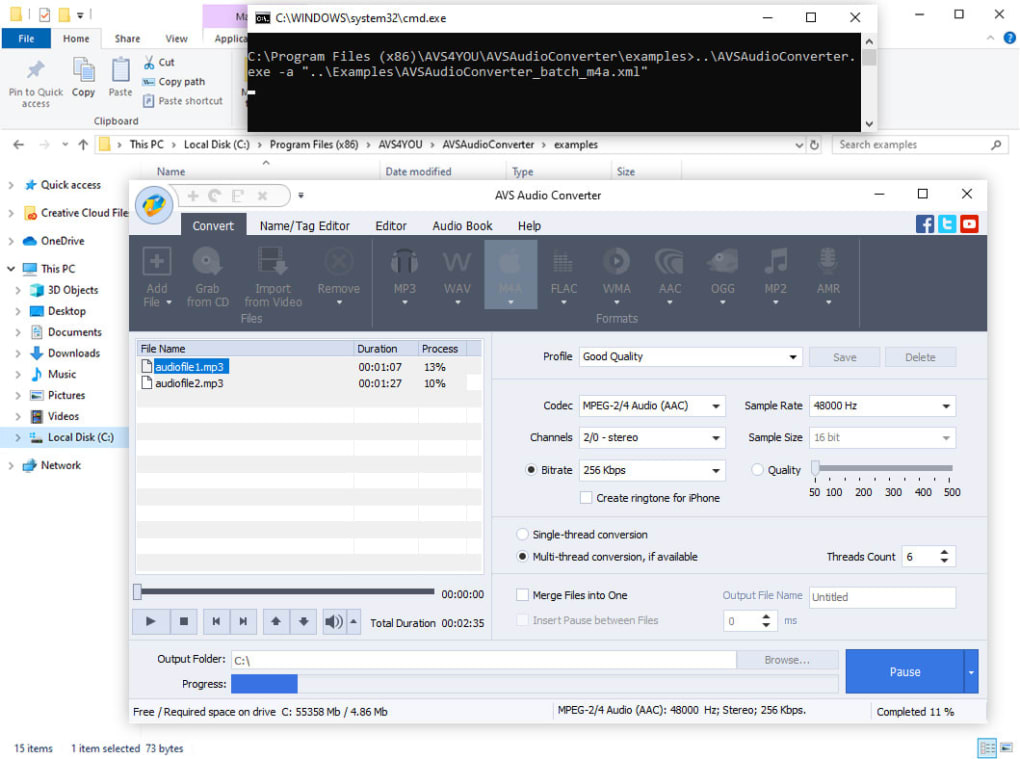
- Batch Conversion: Drag‑and‑drop multiple files or entire folders, set a single target format, and let the engine process them sequentially, saving you time on large music libraries.
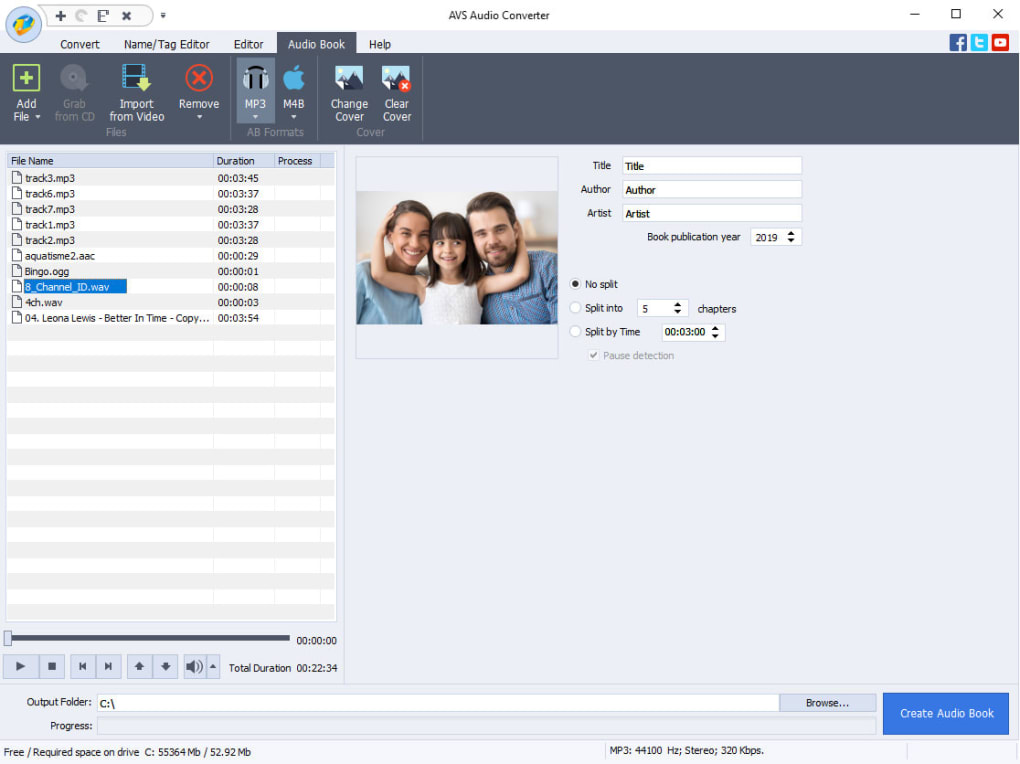
- ID Tag Editing: Built‑in tag editor lets you modify metadata such as title, artist, album, track number, and cover art before conversion, ensuring consistent library organization.
- Audio Extraction: Pull the audio track from video files or audio CDs without needing a separate ripping utility, perfect for creating playlists from movies or DVDs.
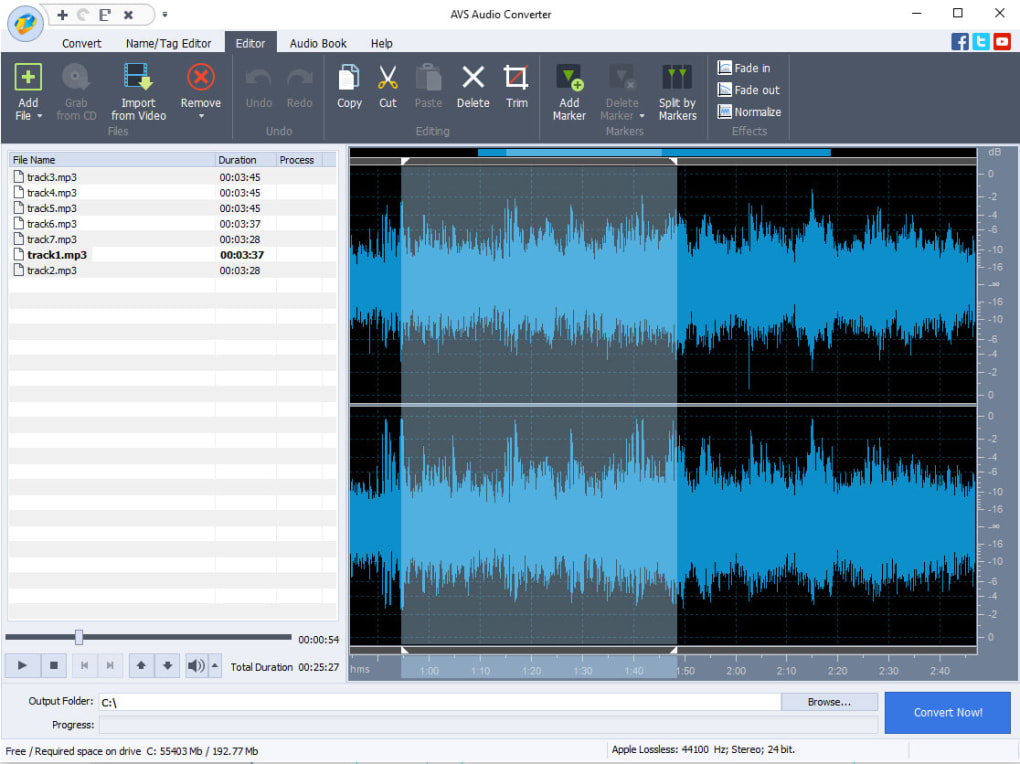
- Basic Audio Editing: Trim unwanted beginnings or endings, adjust volume, and apply simple fade‑in/out effects directly in the conversion window.
- Preview Player: Listen to selected tracks within the app to verify quality or content before you commit to the conversion process.
- Custom Profiles: Save codec settings (sample rate, bitrate, channel mode) as reusable profiles, which can be loaded instantly for repetitive tasks.
- Secure and Ad‑Free: The free version is completely ad‑free, and the installer is digitally signed, guaranteeing a safe download and installation experience.
Each feature is designed with a user‑first mindset. For example, the batch conversion wizard remembers the last used output folder, and the tag editor automatically pulls existing metadata from source files, reducing manual entry. The combination of format versatility, quick preview, and light editing makes AVS Audio Converter a one‑stop shop for everyday audio needs without the bloat of full‑blown digital audio workstations.
Installation, Usage & Compatibility
Getting AVS Audio Converter up and running is straightforward, and the process is identical across supported platforms. Below are step‑by‑step instructions that cover download, installation, and first‑time usage.
Step‑by‑Step Installation
- Visit the official AVS4YOU website and click the “Download Free” button for AVS Audio Converter.
- The installer (a small
.exefor Windows or.dmgfor macOS) will begin downloading. The file size is under 15 MB, making it quick even on slower connections. - Run the installer and follow the on‑screen wizard: accept the license agreement, choose the destination folder (the default works for most users), and click “Install”.
- After installation, launch the program from the desktop shortcut or start menu. The first launch may trigger a brief security check, confirming the app’s digital signature.
Using the Interface
Once opened, the main window presents three primary panels: a file list on the left, a format selector at the top, and a preview player on the right. To convert files:
- Click “Add Files” or drag your audio/video files into the list.
- Select the desired output format from the dropdown (e.g., MP3, FLAC, AAC).
- If needed, click “Options” to adjust codec settings such as bitrate or sample rate. Save these adjustments as a custom profile for future use.
- Press “Convert now!” and watch the progress bar. Completed files are saved to the default output folder unless you specify a different location.
Compatibility (itemprop="operatingSystem")
AVS Audio Converter is built for the most common desktop environments:
- Windows: Windows 7, 8, 8.1, 10, and 11 (both 32‑bit and 64‑bit). The installer automatically detects the appropriate architecture.
- macOS: macOS 10.12 (Sierra) and later. The app runs natively without the need for additional compatibility layers.
While there is no native mobile version, the Windows and macOS builds can be run on Android tablets using emulation tools, though this is not the intended usage scenario. The software requires minimal system resources—typically under 50 MB of RAM and a modest CPU load—making it suitable for older machines and laptops.
Pros, Cons, Frequently Asked Questions & Conclusion
Pros & Cons
- Pros:
- Free, ad‑free, and regularly updated.
- Supports a wide array of audio and video containers.
- Integrated tag editor and basic audio trimming.
- Custom profile saving speeds up repetitive workflows.
- Lightweight installer and low system footprint.
- Cons:
- No built‑in video preview; you must use an external player to confirm video content before extraction.
- Advanced audio effects (EQ, reverb, noise reduction) are absent.
- Interface, while clean, looks dated compared to some modern converters.
FAQ (FAQPage)
Can I convert an entire music library at once?
Yes. AVS Audio Converter supports batch processing. Just drag the folder containing your music files into the program, select the output format, and start the conversion. The app will preserve the original folder structure in the output directory.
Is the software safe from malware?
Absolutely. The installer is digitally signed by AVS4YOU, and the download comes from the official website. No third‑party adware or spyware is bundled with the free version.
Can I extract audio from a protected DVD?
AVS Audio Converter can extract audio from standard video files (MP4, AVI, MKV). For copy‑protected DVDs, you would need a separate DVD ripping tool to first convert the video to a supported format before extracting the audio.
What bitrate options are available for MP3 conversion?
The MP3 encoder offers bitrate choices from 32 kbps up to 320 kbps, as well as variable bitrate (VBR) modes. You can adjust these settings in the “Options” dialog and save them as a custom profile.
Does AVS Audio Converter support lossless formats like FLAC?
Yes. The converter handles lossless formats such as FLAC, ALAC, and WAV, allowing you to preserve original audio quality when needed.
Conclusion & Call to Action
AVS Audio Converter delivers exactly what its name promises: a fast, secure, and free way to convert audio files while offering a handful of extra utilities that elevate it above the typical “just‑convert” apps. Its support for both Windows and macOS, combined with batch processing, tag editing, and custom profiles, makes it a solid choice for anyone who regularly works with music, podcasts, or video soundtracks. While it lacks advanced audio effects and a built‑in video preview, these omissions are outweighed by the program’s stability, low resource usage, and ad‑free experience.
If you’re looking for a dependable converter that won’t cost a dime and won’t bombard you with ads, download AVS Audio Converter today. Click the download button below, install the software, and start converting your audio collection in seconds.







